I am sure there are many ppl who are annoyed when gmail steals the focus from other tab.
We can avoid that in Opera browser by changing the Javascript preference.
1. Click |Tools|
|_
Preferences
|_
Advanced (tab)
|_
Content
2. now click on Javascript Options
3. Uncheck |Allow raising of windows|
4. Press OK
Now webpages wont steal the focus from ur current tab.
Showing posts with label grafix. Show all posts
Showing posts with label grafix. Show all posts
Friday, November 24, 2006
Monday, November 20, 2006
Posting images with proper layout for Bloggers
For those who have problem in posting images with proper layout, here's a solution.
Req: HTML editing, CSS.
Soln:
CSS can handle images in a smart way. You can not only make ur image go left, right or in centre but also define amt of space between text and image(ie margin).
Here's the example of improper layout
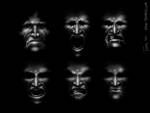
See this image defaults to left side and all the text goes below it. This leaves a huge ugly whitespace.
Now to move this image on the right with text besides it use the following code:
We have to use <div> tag before <img> tag as shown:
Original <img> tag generated by Blogger:
So modified code is:
Now there the image goes to right and we have a margin of 5 px between image and this text. If you want ur image to be in left side then just change float:left and margin-right:5px
Req: HTML editing, CSS.
Soln:
CSS can handle images in a smart way. You can not only make ur image go left, right or in centre but also define amt of space between text and image(ie margin).
Here's the example of improper layout
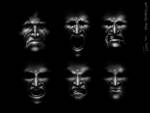
See this image defaults to left side and all the text goes below it. This leaves a huge ugly whitespace.
Now to move this image on the right with text besides it use the following code:
We have to use <div> tag before <img> tag as shown:
Original <img> tag generated by Blogger:
<a onblur="try {parent.deselectBloggerImageGracefully();} catch(e) {}" href="http://photos1.blogger.com/x/blogger2/4309/4591/1600/374409/images.jpg"><img style="cursor:pointer; cursor:hand;" src="http://photos1.blogger.com/x/blogger2/4309/4591/200/661295/images.jpg" border="0" alt="" /></a>Now just enclose this code with <div style='float:right;margin-left: 5px;'></div>
So modified code is:
<div style='float:right; margin-left:5px;'><a onblur="try {parent.deselectBloggerImageGracefully();} catch(e) {}" href="http://photos1.blogger.com/x/blogger2/4309/4591/1600/374409/images.jpg"><img style="cursor:pointer; cursor:hand;" src="http://photos1.blogger.com/x/blogger2/4309/4591/200/661295/images.jpg" border="0" alt="" /></a></div>The result will be:
Thursday, November 16, 2006
Heaven for CSS coders
The Web Developer's Handbook
This webs website is really a heaven for CSS coders. I have learnt a great deal of information from this site and am really impressed by the way data is organised in this site.
It is useful for both novices and experts covering a range of CSS topics. You get to see a lot of creativity going in the CSS scene. CSS can do some much that without it Internet wouldnt be what it is now!
have a look at the site and get addicted to it ;)
This webs website is really a heaven for CSS coders. I have learnt a great deal of information from this site and am really impressed by the way data is organised in this site.
It is useful for both novices and experts covering a range of CSS topics. You get to see a lot of creativity going in the CSS scene. CSS can do some much that without it Internet wouldnt be what it is now!
have a look at the site and get addicted to it ;)





